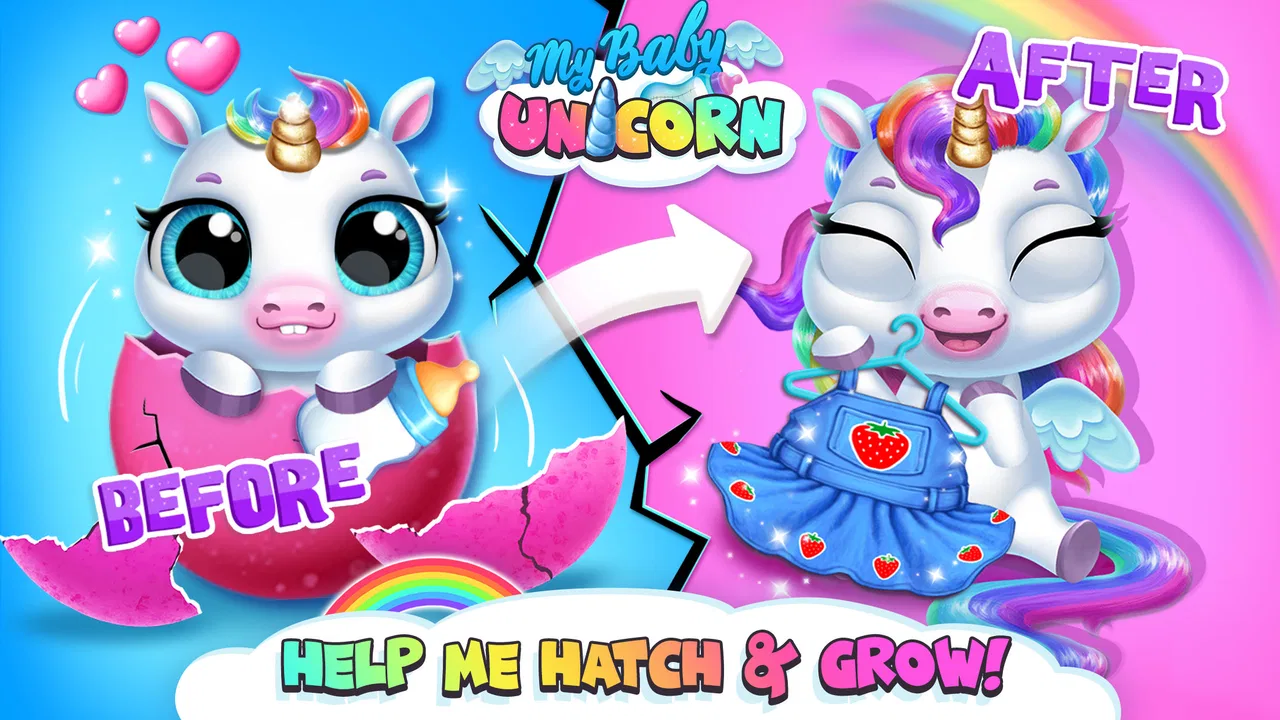
My Baby Unicorn - Pony Care
- 3.9
- Rating
- 10.00M
- Installs
- Free
- Price

 Analysis by App-foxy
I found My Baby Unicorn - Pony Care easiest to understand when I treated it as a gentle, guided play experience rather than a serious learning course. It is a free educational game from TutoTOONS in which children look after a small virtual pony, choose outfits, and move through simple care activities. The appeal is immediate: the character is cute, the tasks are familiar, and the game gives children a playful setting for practicing attention, choice-making, and basic routines.
What stood out to me is how much the experience depends on visual feedback. A child does not need to read long instructions to understand that the pony needs attention, and the colorful presentation helps make each activity feel approachable. That makes it a reasonable choice for younger players who are still developing confidence with mobile games. At the same time, parents should see it as supervised entertainment with light educational value, not as a replacement for structured learning or a game designed around advanced accessibility tools.
How the game communicates care and choice
I found the game’s most useful idea is the way it turns care into a series of visible choices, rather than asking a young player to follow a lesson or compete. I would use that structure to let a child make one decision at a time and explain why they chose it. That small pause can make the play more thoughtful, and it leads naturally to how the routine feels in practice.
You May Also Like

 Blood Strike: 2.5 Anniversary
Blood Strike’s Loadouts Turn Every Drop Into a Tactical Gamble
A close look at Blood Strike’s custom loadouts: how fast access to signature weapons reshapes its battle royale rhythm, rewards preparation, and narrows the gap between fights.

 Pandora - Music & Podcasts
Pandora’s Music Is Easy to Start, but Harder to Recover
Pandora’s strength is its low-effort path from a seed to a station. Its weak spot is how much confidence it asks you to place in connection, setup, and quiet recovery.

 8 Ball Pool
 Is Built on Rivalries, Rematches, and Routine
A close look at the rivalries, rematches, shared routines, and unanswered safety questions that turn a quick pool match into a persistent mobile community.

 Samsung Music
’s Quiet Strength Is Playing What You Already Own
Its reach comes less from spectacle than from dependable access to a personal library. That simplicity is both the app’s strongest retention engine and its ceiling.

 AccuWeather: Weather Radar
AccuWeather Review: A Quick, Clear Forecast for Everyday Decisions
For everyday plans, the best forecast is the one you can understand quickly. AccuWeather makes rain timing, radar, and local conditions easy to act on, with a few trade-offs.

 Hill Climb Racing
Why Hill Climb Racing Still Turns Crashes Into One More Run
A tiny car, a bumpy hill and one more upgrade: Hill Climb Racing keeps resurfacing because its simple chaos makes every near-miss feel personal.
More From Our News Desk



Readability and navigation for young players
The basic idea is clear from the first interaction: care for the pony, then make it look the way you want. That clarity matters for children who may become frustrated when a game hides its purpose behind menus, missions, or complicated rules. Here, the fantasy of caring for a baby unicorn gives every action a recognizable context. A child can usually connect an on-screen need with a simple response instead of having to understand an elaborate progression system first.
I also like that the dress-up element gives the child some control without requiring a perfect answer. Choosing an outfit is not just another instruction to follow; it creates room for personal taste. For a child who is more comfortable observing than competing, this can be a useful way to participate. The pony becomes a friendly focus, and the activities feel less like a test than a sequence of small decisions.
There is an important difference between visual clarity and reading accessibility, though. Bright characters and recognizable objects can help a pre-reader, but they do not automatically solve every navigation problem. A child who cannot yet read may still need an adult nearby when an unfamiliar screen appears or when the game asks for a choice that is not obvious. I would introduce it together with the child rather than assuming it will explain every step independently.
For early users, I found a short demonstration more useful than verbal instructions. Sitting beside the child for the first session, showing how to select an activity, and then allowing the child to repeat it can establish a reliable pattern. Once that pattern is understood, the child can focus on the pony instead of asking how to operate the interface. This is one of the better ways to turn a casual game into a small exercise in independent decision-making.
Motor and sensory considerations during play
The game is built around touch interaction, so the physical demand is generally more approachable than a game that depends on rapid reactions, precise timing, or several buttons at once. That can suit children who are still learning how to control a touchscreen. Tapping and dragging may feel more natural than using a virtual joystick, especially when the goal is simply to complete a care action or select an appearance.
That does not mean every child will find the controls equally comfortable. Young players with limited fine-motor control may need extra time to hit small visual targets, and accidental taps can be discouraging if the child is trying to perform a task independently. I would watch the first few minutes for signs of repeated misses rather than interpreting them as a lack of interest. Sometimes the problem is not the activity itself but the precision needed to select it.
The visual style is deliberately lively, which is part of its charm but can also be tiring for children who are sensitive to busy screens, strong color contrasts, or repeated animation. I would offer it in a calm environment and keep the first sessions brief. If a child starts looking away, rubbing their eyes, becoming restless, or losing track of the task, a break is more useful than encouraging them to finish.
Sound can also affect whether the experience feels comfortable, particularly in a shared room, during travel, or for a child who prefers quiet play. Since individual sensitivity varies, I would begin with a low device volume and let the child decide whether the audio helps. The game works best when the visual relationship with the pony is doing the teaching; sound should not be the only cue a child relies on to know what to do next.
Using it in different everyday situations
A realistic use case is a short waiting period before an appointment. A child can spend a few minutes caring for the pony and choosing an outfit, giving them a familiar activity that is less demanding than a competitive game. I would prepare the game before leaving home, check that the child understands the main controls, and avoid handing over the device for an unlimited session. The value in that situation comes from predictable, contained play, not from keeping the child occupied indefinitely.
It can also work as a quiet shared activity between an adult and a child. Rather than taking over the decisions, I would ask questions such as which outfit the pony should wear or what the child thinks the pony needs next. That approach turns the game into a conversation about choices and sequences. It is especially helpful for a child who benefits from seeing an action modeled before attempting it alone.
For travel, the practical question is whether the child can use it comfortably in a moving vehicle or a crowded place. A small screen, changing light, and background noise can make any touch game harder to follow. I would not choose it as the only travel plan. A child who becomes motion-sensitive, overwhelmed by noise, or frustrated by missed taps may do better with an offline toy, a picture book, or an audio activity.
At home, the game fits naturally into a short routine after school or before another activity. I would use a clear stopping point, such as finishing one care sequence or one dress-up choice, rather than relying on the child to judge when to stop. This is not a criticism unique to this title; young players often find it difficult to move away from a cute character they are caring for. A predictable ending makes the transition easier.
Where the inclusive design feels helpful
The strongest inclusive quality is the low-pressure theme. There is no need for a child to outperform another player, react faster than an opponent, or understand a complicated story before joining in. A child can engage through caring, observing, decorating, or making choices. Those different entry points mean siblings with different confidence levels may be able to enjoy the same character for different reasons.
The game may also suit children who learn better through repetition. Repeating a familiar care action can reinforce a sequence without making the child feel corrected. I would use that repetition intentionally: first demonstrate, then let the child try, and finally ask them to explain what they chose. The game itself remains simple, but the adult’s questions can add language practice, planning, and reflection.
Another useful trade-off is that the game offers a defined fictional responsibility without creating real-world consequences. A child can practice noticing a need and responding to it, while the pony remains a safe pretend companion. That can be appealing for families who are not ready for a real pet or for children who enjoy animal-care themes but need a very manageable activity.
Still, I would avoid describing the game as universally accessible. A friendly character and simple touch controls are helpful starting points, not proof that every child will be able to use every part comfortably. Children with visual, motor, hearing, attention, or sensory differences may need an adult to adapt the setting, shorten the session, or decide that another type of game is more suitable.
What parents should know before installing
The game is free to download, which makes trying it relatively straightforward. It is rated Everyone, and its broad audience fits the gentle pet-care concept. However, the presence of in-app purchases is important for family planning: individual items range from $3.99 to $159.99. I would set up purchase protections before giving a child access, explain that not every visible option is automatically available, and make sure the child knows how to ask before selecting anything that might cost money.
That purchase range changes how I would present the game to a child. If the child believes every outfit or activity must be unlocked immediately, the relaxing care experience can turn into pressure to buy. I would frame customization as optional and focus first on the interactions already available. This is a practical difference between a pleasant supervised session and a frustrating one.
The title has been available since November 14, 2018, and the current version is 14.0.1423. It runs on Android devices using Android 6.0 or later. Those details matter if you are installing it on an older family phone or tablet. I would check the device before planning a trip or handing it to a child, because compatibility problems are especially frustrating when the game is meant to be a quick distraction.
Its popularity is substantial, with over 10 million installs, while the average rating is 3.9 from around 60 thousand ratings and about 2.4 thousand written reviews. I read that combination as a sign of broad appeal with some meaningful reservations from users. It is popular enough to be familiar to many families, but the rating is not so high that I would assume every child will enjoy the pacing, controls, or purchase structure.
Limitations that affect different abilities
The biggest limitation is that the game’s accessibility depends heavily on the child’s ability to interpret visual cues and interact with a touchscreen. If a child needs large, highly separated targets, strong text support, or alternative input methods, the experience may require assistance. I would test it personally first and observe whether the child can complete a simple action without repeated correction.
Another barrier is the difference between a child who enjoys open-ended dress-up and one who wants a clear goal. The pony-care theme provides direction, but it may not offer enough challenge for older children or for players who prefer puzzles, construction, reading, or measurable progress. In those cases, a more structured educational app could provide stronger learning outcomes, while a deeper simulation game could offer more meaningful long-term play.
It is also not the best match for a child who becomes anxious when a game presents locked items or purchase prompts. Even with device safeguards, the visual presence of paid choices can interrupt the feeling of free play. I would choose a different app if the family’s priority is a completely purchase-free environment or if the child is not yet able to distinguish pretend rewards from real spending.
Families should also consider supervision style. Some children can explore the game independently after an introduction, but others will need help with navigation, stopping, or interpreting what is happening on screen. That is not a failure of the child or the game; it is simply the reality of a touch-based title aimed at young players. The best experience comes when an adult treats it as a shared tool rather than an electronic babysitter.
How it compares with other children’s game choices
Compared with fast arcade games, this pony-care title is calmer and less dependent on reaction speed. Compared with reading-focused educational apps, it gives less direct practice with letters, words, or numbers. Compared with open-ended creative tools, it offers a more guided character-centered setting. Its place is therefore quite specific: it sits between pretend pet play and light digital learning.
I would choose it over a competitive game for a child who enjoys animals and needs a softer introduction to mobile play. I would choose a different option for a child who wants substantial problem-solving, a clear curriculum, or a long-term challenge. The dress-up and care combination is the reason to install it, not a side feature to overlook.
It can complement offline play particularly well. After a session, a child might draw a new outfit for the pony, create a pretend care checklist, or talk about what a real animal needs. Those activities prevent the game from becoming an isolated screen habit and make the fictional care theme more meaningful. I would not claim that the app alone teaches responsible pet ownership, but it can provide a starting point for that conversation.
My inclusive verdict
After spending time with it, I see My Baby Unicorn - Pony Care as a friendly choice for younger children who respond to cute animals, simple touch interactions, and creative dress-up. Its strongest qualities are the approachable theme, low-pressure play, and ability to support shared conversations about choices and routines. The free entry point also makes it easy to test before deciding whether it belongs in a child’s regular rotation.
I would recommend it most confidently for a child who can follow visual prompts, enjoys repeating familiar actions, and is comfortable using a touchscreen with some adult guidance. I would be more cautious for children who need extensive reading support, alternative controls, reduced sensory stimulation, or a fully purchase-free environment. In those situations, another app may be a better fit even if the child likes unicorns.
My practical advice is to install it on the intended device, explore the first session yourself, secure purchase settings, and then play beside the child before offering independent use. Keep the first visit short, watch for motor or sensory frustration, and use the pony’s care routine as a chance to talk rather than simply handing over the screen. With those boundaries, this educational game can be a pleasant piece of pretend play. Without them, its visual busyness, touch demands, and paid options may matter more than its charming character.
Overall, I would describe it as a gentle, specialized recommendation rather than an all-purpose children’s learning app. TutoTOONS has created an inviting virtual pet experience, and the 10M+ install milestone shows that the concept has reached a wide audience. For the right child, caring for the little pony and choosing its look can feel rewarding. The key is matching the game to the child’s abilities, sensory preferences, and family rules instead of assuming that an Everyone rating makes the experience equally suitable for everyone.
FAQs for My Baby Unicorn - Pony Care
01What is My Baby Unicorn - Pony Care about?
My Baby Unicorn - Pony Care is a delightful simulation game where players take on the role of caring for a magical baby unicorn. The game allows users to feed, bathe, dress, and play with their unicorn, providing a nurturing environment. It's designed to be engaging for children, offering colorful graphics and interactive gameplay.
02Is My Baby Unicorn - Pony Care suitable for all ages?
The game is primarily designed for young children, typically ages 3 and up. It features easy-to-use controls and a friendly interface that makes it accessible even for the youngest players. However, parents should review the content to ensure it aligns with their child’s maturity level and interests.
03Are there in-app purchases in My Baby Unicorn - Pony Care?
Yes, My Baby Unicorn - Pony Care includes in-app purchases. These allow players to unlock additional content, such as new outfits and accessories for the unicorn. While these purchases are optional, they can enhance the gaming experience. Parents can set up parental controls to manage or restrict these purchases.
04Does My Baby Unicorn - Pony Care require an internet connection?
The game can be played offline, making it a convenient choice for on-the-go entertainment. However, an internet connection may be necessary for downloading updates or accessing certain features, such as in-app purchases. Always ensure you have the latest version for the best experience.
05What platforms is My Baby Unicorn - Pony Care available on?
My Baby Unicorn - Pony Care is available on both Android and iOS platforms. This cross-platform availability ensures that a wide range of users can enjoy the game on their smartphones or tablets. Links to download from the Google Play Store and Apple App Store can be found on our website.
Pros
- Engaging activities for young children.
- Adorable graphics and animations.
- Simple
- kid-friendly controls.
- Educates about responsibility and care.
- Regular updates with new content.
Cons
- In-app purchases can be frequent.
- Requires internet for certain features.
- Limited educational content depth.
- Can be repetitive over time.
- Ads may interrupt gameplay.

My Baby Unicorn - Pony Care
Gallery